
Content Review & Approval
YSH provides a streamlined review process where brands can approve, request revisions, or decline content through secure share links.
Submitting Content for Review
Step 1: Ensure Content is Ready
Before submitting, make sure your content has all required fields filled in: name, caption, media files, and social account selection.
Step 2: Send to Review
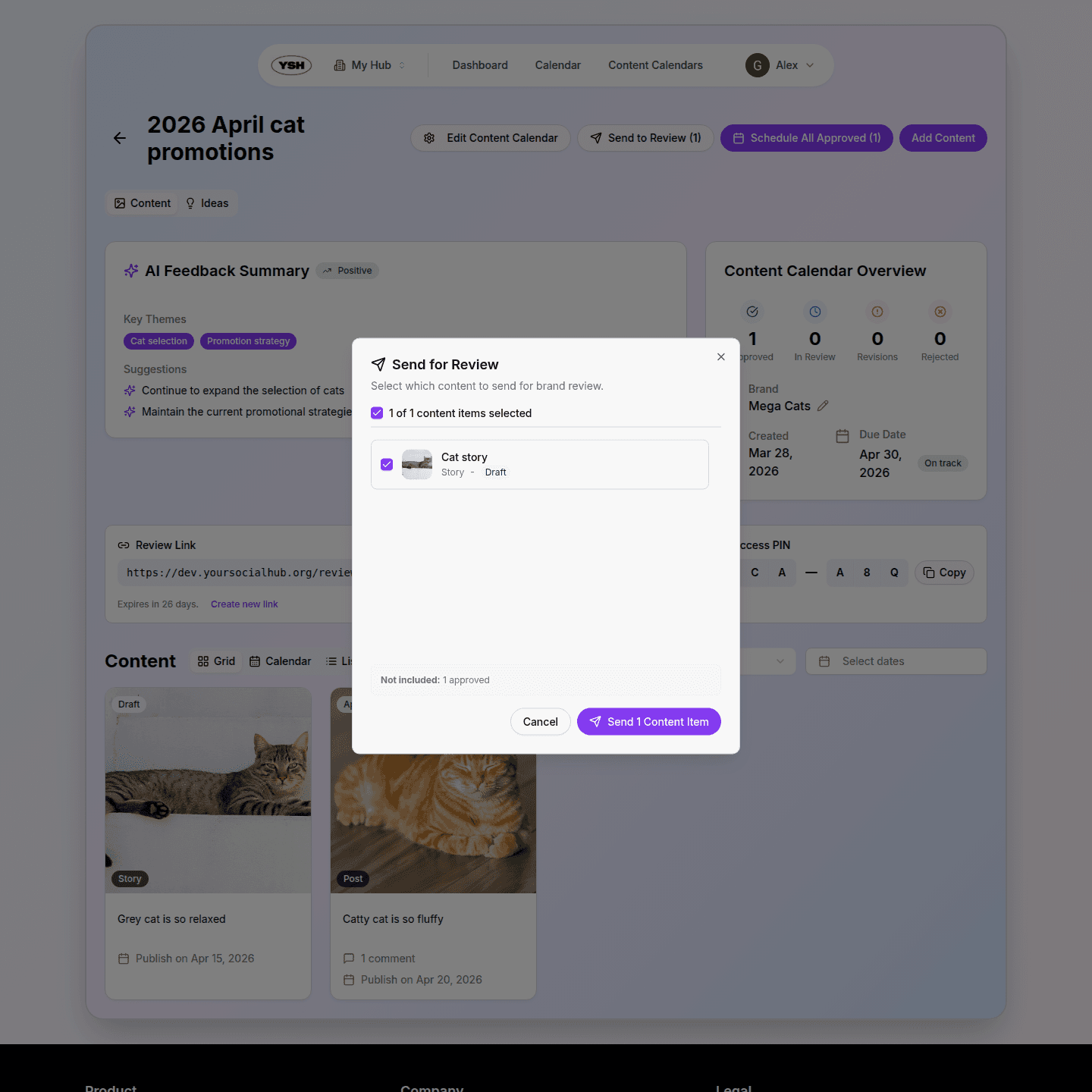
From the content calendar or content detail page, click the Send to Review button. This changes the content status to In Review and makes it visible to brands through the share link.
Brand Review Process
Share Links
Each content calendar has a unique share link that you can send to brands. When a brand opens the link, they enter a PIN to access the review page. This ensures only authorized reviewers can see the content.
Visual Feedback
Brands can leave pinpoint comments directly on the content. By clicking on a specific area of an image or video frame, they can provide precise feedback about what needs to change.
Calendar & Feed Preview
Switch to the Feed & Calendar view to see approved content laid out on a monthly calendar alongside a feed preview. This helps brands visualize how the content will appear once published and verify the posting schedule.
Review Actions
Brands can take the following actions on content that is in review:
- Approve — Content is approved and ready for scheduling or publishing.
- Request Revisions — Content needs changes. The creator will see the feedback and can make edits.
- Decline — Content is rejected entirely.
Handling Revision Requests
When a brand requests revisions, the content status changes to Revisions Needed. You can:
- Open the content and review the brand's feedback comments.
- Make the necessary changes to the media or caption.
- Re-submit the content for review.
Each round of edits creates a new version, so you can always compare the current version with previous ones.
AI Feedback Summary
YSH can generate an AI-powered summary of all feedback comments on a content item. This helps you quickly understand what changes are needed without reading through every individual comment.
Once your content is approved, you can schedule it for publication. Learn how in the next section.