
Introduction
Your Social Hub (YSH) is a content approval platform designed for content creators, social media managers, and brands. It streamlines the content review and approval process so your team can collaborate efficiently.
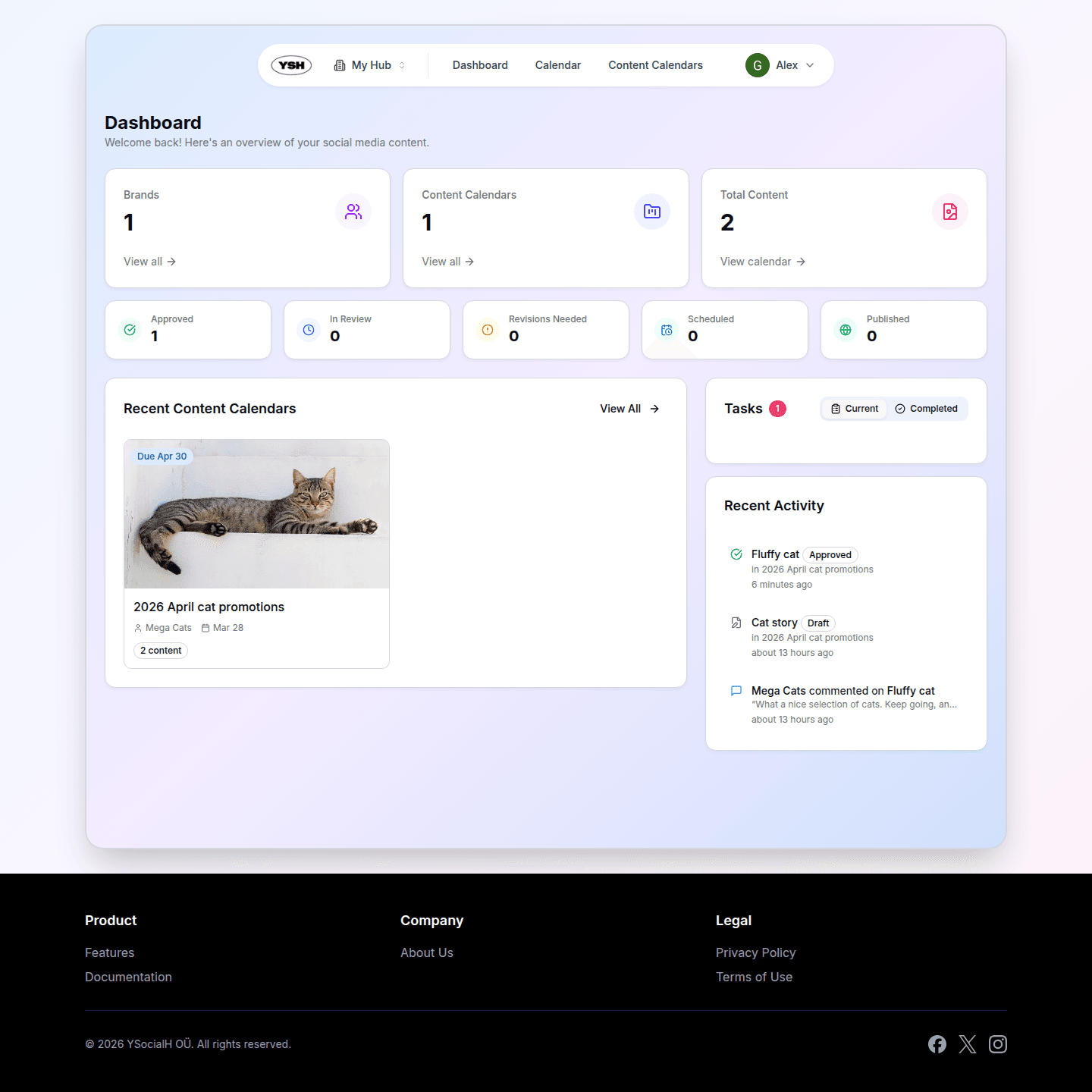
Key Concepts
Hubs
A Hub is your team workspace. It brings together content creators, publishers, and admins under one roof. Every piece of content, calendar, and brand belongs to a hub. You can be a member of multiple hubs and switch between them easily.
Content Calendars
Content Calendars are projects that organize your content. Think of them as folders or campaigns — you create a calendar for a specific project, add content to it, and share it with brands for review. Each calendar can have its own due date, brand association, and team members.
Content
Content is the core of YSH. It can be images, videos, carousel posts, or stories. Each piece of content goes through a workflow: draft, in review, approved, scheduled, and published. You can attach it to social accounts for auto-publishing.
Brands
Brands are external reviewers — your clients or stakeholders. You can invite brands to review content through secure share links with PIN protection. They can approve, request revisions, or decline content without needing a full account.
User Roles
Within a hub, each member has a role that determines what they can do:
- Content Creator — Can create and edit content, and write comments.
- Publisher — Everything a Content Creator can do, plus: submit content for review, schedule publications, and manage brands and content calendars.
- Admin — Full access. Can invite and remove members, change roles, manage hub settings, and delete brands and content calendars.
Getting Started
Here's how to get started with YSH:
- Create your account — Sign up with email or Google.
- Set up your hub — Create a hub for your team or organization.
- Create a content calendar — Organize your content into projects.
- Add content — Upload images, videos, or create carousel posts.
- Share for review — Send a secure link to your brand for approval.
- Schedule and publish — Once approved, schedule content for auto-publishing.
Continue to the next section to learn how to create your first piece of content.